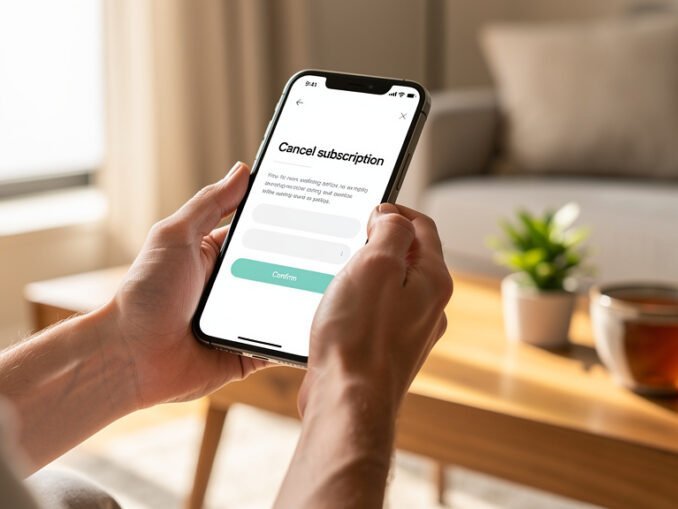
The average American now pays for four or more streaming services, and studies keep finding that a huge chunk of that money goes to services nobody’s opened in months. Learning how to cancel unused streaming subscriptions easily is worth real money — canceling two forgotten $15 subscriptions saves $360 a year.
Here’s the step-by-step: finding every subscription you have, canceling on each major platform, and making sure the charges actually stop.
Step 1: Find Every Streaming Subscription You Have
Start with your bank and credit card statements — search for the last 12 months of charges from Netflix, Hulu, Disney, Max, Peacock, Paramount, Apple, Amazon, Spotify, and any others. Subscriptions hide under vague descriptors, so search for the amounts, not just names. Also check PayPal, Apple Subscriptions (iPhone Settings > your name > Subscriptions), and Google Play Subscriptions — many people subscribe through app stores and forget.
Make a simple list: service, monthly cost, last time you actually watched. Be brutally honest about that last column. Anything unwatched for 60+ days is a cancel candidate — you can always resubscribe in two minutes when the next season drops. This audit is also the foundation of my streaming rotation strategy, which cuts most people’s bills nearly in half.
- Search 12 months of bank/credit card statements
- Check Apple Subscriptions and Google Play Subscriptions
- Check PayPal recurring payments
- List: service, cost, last watched date — be honest
Step 2: Cancel on Each Platform (Where the Button Hides)
Netflix: Account > Membership & Billing > Cancel Membership (keeps access until period ends). Hulu: Account > Cancel under Your Subscription. Disney+: Profile > Account > Subscription > Cancel. Max: Settings > Subscription > Cancel. Peacock/Paramount+: Account > Subscription > Cancel or Turn Off Auto-Renew. Apple TV+: cancel through Apple Subscriptions, not the app. Amazon Prime Video channels: Amazon > Account > Memberships & Subscriptions.
Canceling online must now generally be as easy as signing up was, thanks to consumer protection rules like the FTC’s click-to-cancel initiative. If a service tries to funnel you to phone or chat, that’s a red flag; persist. Screenshot every cancellation confirmation with the date. I’ve been erroneously charged after ‘canceling’ twice, and the screenshot resolved both in one email.
Step 3: Verify the Charges Actually Stop
Canceling isn’t done until the money stops. Check your next two billing cycles for each canceled service — set a calendar reminder. If a charge appears after cancellation, contact support with your screenshot; they’re required to refund erroneous post-cancellation charges in most cases. Also remove the app from your devices to avoid accidental resubscribes, and turn off any ‘winback’ emails if they tempt you.
Watch for the zombie subscription: free trials that converted, annual plans you forgot, and bundled subscriptions (Hulu through Spotify, Max through your cable company) that survive even when you cancel the main service. Check bundles specifically — they’re the most common source of ‘I thought I canceled that’ charges.
Step 4: Spend Smarter Going Forward
Adopt the rotation: keep 1 or 2 core services, add others for one month at a time to binge exclusives, then cancel. Set a phone reminder to cancel the day after you finish the show — future you won’t remember. Consider annual plans only for the service you use daily; the 15-20% discount isn’t worth it for anything you might drop.
And before adding any new service, check the free streaming options first — Tubi, Pluto, and library Kanopy, which together cover a surprising amount of viewing for zero dollars. The goal isn’t deprivation; it’s paying for what you watch and nothing else.
The Subscription Audit: Cancel Unused Streaming Subscriptions Yearly
Make it a ritual: every January (or every birthday — pick a memorable date), sit down for 20 minutes and cancel unused streaming subscriptions in one batch. Pull up 12 months of bank statements, list every recurring media charge, and for each one answer honestly: did I open this app in the last 60 days? No? Cancel. The batch approach works because it turns a chore you postpone into an annual event with a clear payoff — most people find $200-400/year in forgotten subscriptions.
While you’re at it, audit the whole subscription stack: music services, cloud storage, app subscriptions, Patreon pledges, subscription boxes. The same 60-day rule applies everywhere. Then set up the rotation system going forward: 1-2 core services year-round, everything else added for one month at a time. Put a recurring calendar reminder for the audit date. It’s the highest-paying 20 minutes of your year — where else do you earn $300 for 20 minutes of clicking?
Subscriptions Beyond Streaming
Apply the audit beyond streaming: music services (do you need both Spotify and Apple Music?), cloud storage (are you paying for iCloud AND Google One?), app subscriptions (that meditation app from January), subscription boxes, Patreon pledges, and gym memberships you don’t use. The average American has 10+ recurring subscriptions; most use half.
The 60-day rule works everywhere: unused in 60 days, cancel. For annual subscriptions, set a reminder 30 days before renewal — that’s your decision point, not the auto-charge email. And consolidate ruthlessly: one music service, one cloud storage, one of everything. The subscription economy profits from your inertia; the audit is how you take it back.
The Cancellation Confirmation Habit
Every cancellation needs a receipt: screenshot the confirmation page (with the date visible), save the confirmation email in a dedicated folder, and note the service’s promised end date. Twice I’ve been charged after ‘canceling,’ and twice the screenshot resolved it in one email. Without proof, you’re arguing from memory against a billing system.
Check the next two billing cycles after every cancellation — set a calendar reminder. And watch for the zombie: the subscription that survives through a bundle (Hulu via Spotify, Max via your carrier) even after you cancel the main service. Cancel the bundle component separately. Paranoia here is just prudence with a paper trail.
The Bottom Line
Audit 12 months of statements, cancel everything unwatched in 60 days (screenshotting confirmations), verify the charges stop, then rotate services monthly instead of stacking them. Canceling unused streaming subscriptions easily is a habit — and it saves hundreds a year.